AI Assistant
Use the assistant as a working partner
The AI Assistant can answer hotel-operations questions, prepare drafts, work with supported files, and propose actions in the sales workflow. It does not replace the product workflow or your team’s judgment.
Best for
Any hotel team member
Time
1–5 minutes
Outcome
A reviewed answer or draft that supports the next product action
Before you start
- The task and relevant property context are clear
- You are ready to verify the response before acting on it
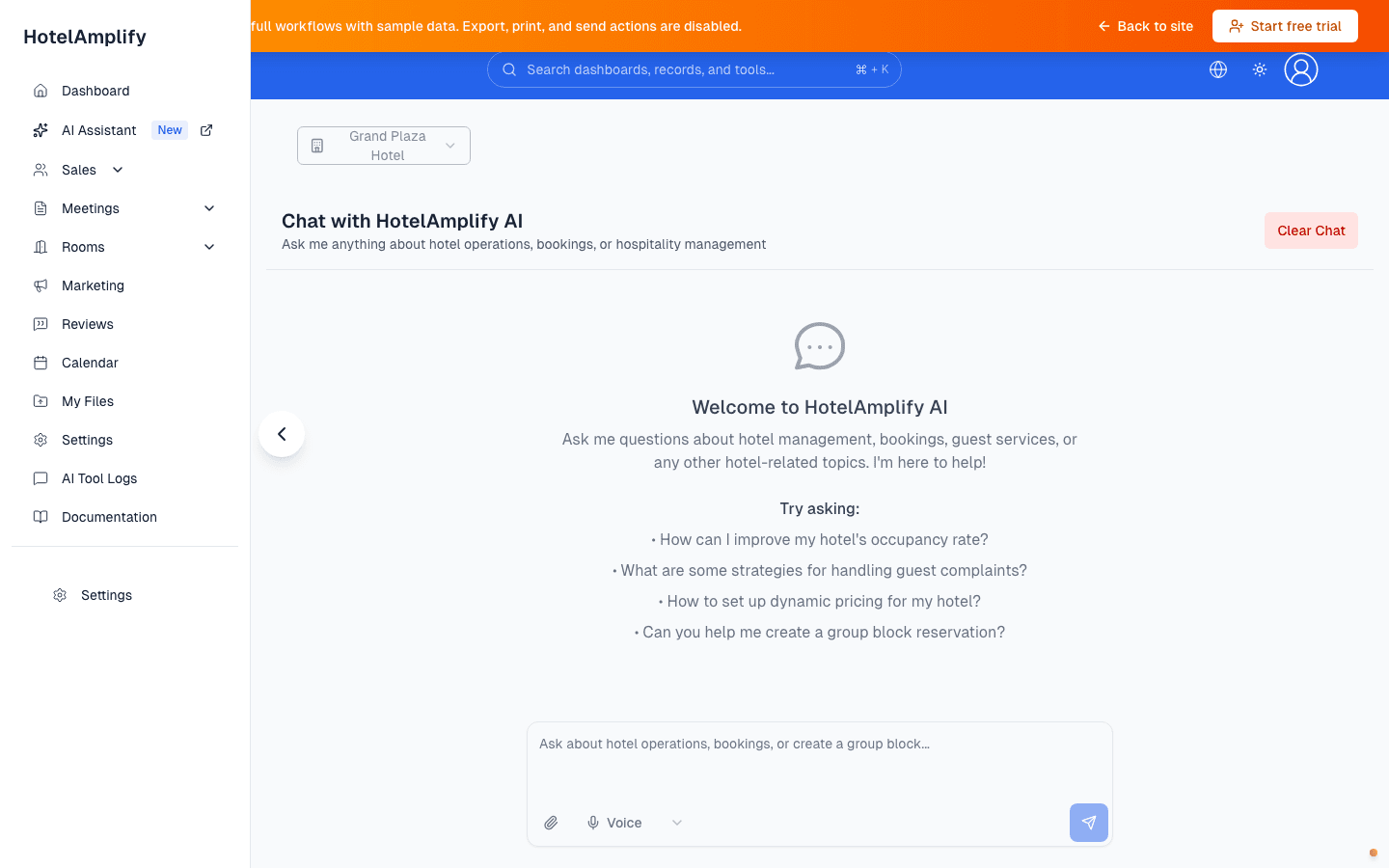
The assistant opens with example prompts and a file attachment control. Use the response as working material, then verify it in the relevant product workflow.
Open in HotelAmplifyUseful tasks for the assistant
- Ask questions about hotel sales and operations workflows.
- Summarize or organize information before taking action.
- Prepare drafts for group blocks, contacts, accounts, sales functions, and BEO-related work.
- Attach up to five supported files per selection: XLSX, XLS, DOCX, DOC, TXT, CSV, or EML.
Work with the assistant
Open AI Assistant
Go to AI Assistant from the dashboard.Describe the task
Include the property, record, dates, names, or other context needed for a useful answer.Check the response
Review dates, names, rates, permissions, source details, and assumptions. Ask a follow-up question when the context is incomplete.Finish the work in the product
If the assistant proposes a change, confirm it in the approval prompt, then open the appropriate workflow and confirm the saved result there.
File and history limits
Files are parsed in the browser and included as text in the message. Each file contributes up to roughly 2,000 characters of content, and unsupported file types are rejected. Chat history is saved in this browser's local storage, so clearing site data or changing browsers can remove the visible history.
You'll know it's done when
You have a useful draft or explanation, and you have verified the details before using it in a booking, contract, financial decision, or published message.
What the assistant should not decide for you
Do not treat an answer as a completed booking, contract, financial decision, permission change, or published message. Tool actions that change sales records require an approval step, and you should still confirm the saved result in the relevant product screen.