Rooms & operations
Create and close a maintenance work order
Use work orders to turn a maintenance request into an assigned, trackable task with a clear priority and room or asset context.
Best for
Engineering and operations teams
Time
3–5 minutes
Outcome
A searchable work order with clear ownership
Before you start
- The property and relevant rooms are configured
- The issue details are ready to record
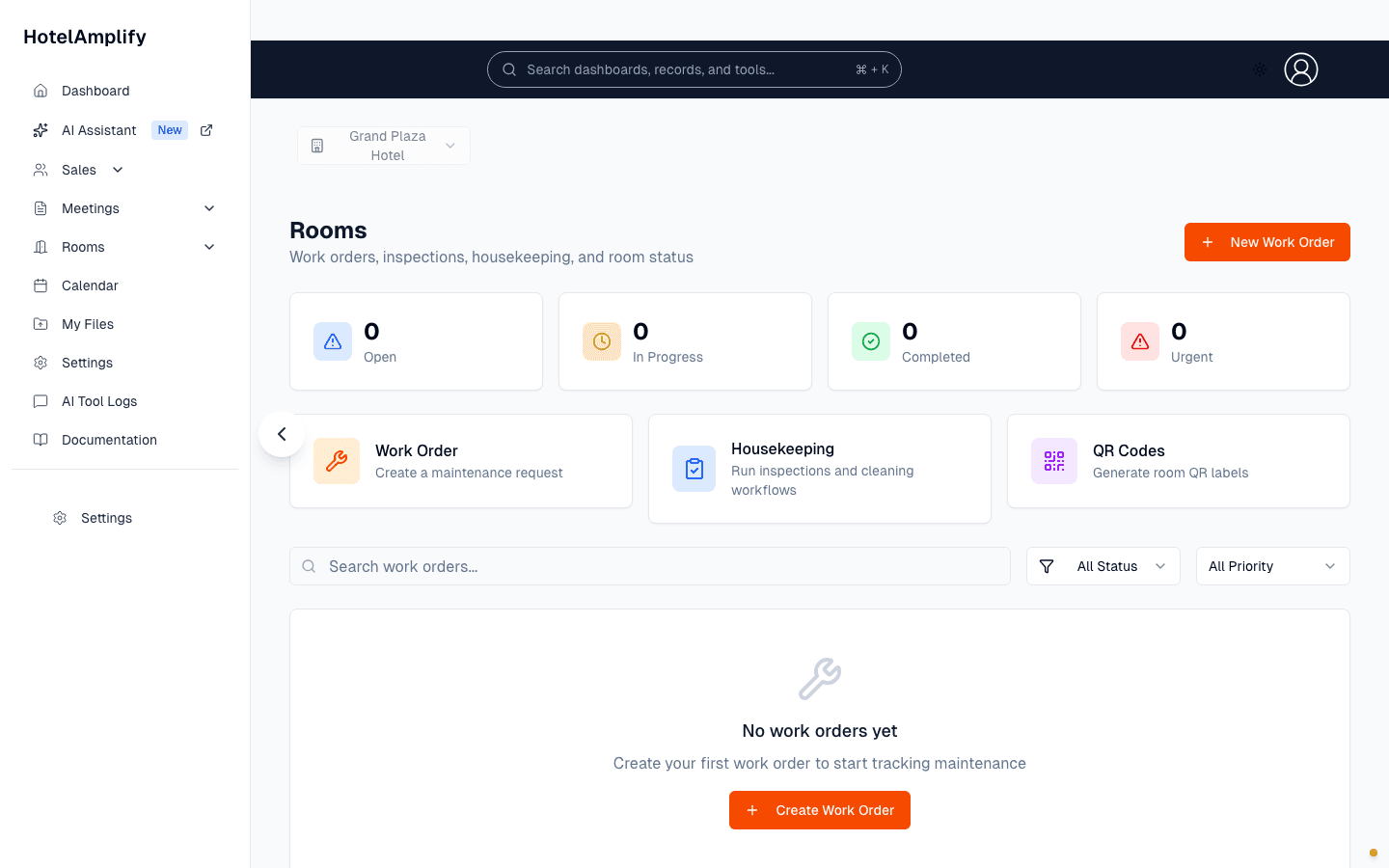
Review the status summary, then select New Work Order when a new maintenance request comes in.
Open in HotelAmplifyCreate a work order
Open the work order form
Go to Rooms and select New Work Order.Describe the issue
Enter a short Title and useful Description. Both are required.Add the right context
Choose a Category, such as HVAC, plumbing, electrical, furniture, safety, or general. Then set the Priority: Emergency, Urgent, High, Medium, or Low.Connect the room or asset
Optionally choose a Room and Asset. Selecting an asset can automatically associate its room.Save and hand it off
Save the work order. The new request appears in the Rooms list for follow-up.
Track the request
Use search to find a work order by title, number, or description. Use the status and priority filters to focus on the work that needs attention.
- Open: the request has been created and needs action.
- In Progress: someone is actively working on it.
- Completed: the work is finished.
- On Hold or Pending Parts: work is paused and needs a follow-up decision.
You'll know it's done when
The work order appears in the Rooms list with enough detail for another team member to search, prioritize, and continue the work.
If the request is not moving
Reserve Emergency and Urgent for work that needs immediate attention. If the task is paused, use On Hold or Pending Parts so it remains visible without looking active.