Rooms & operations
Keep rooms, maintenance, and inspections moving
The Rooms workspace brings work orders, housekeeping status, inspections, assets, templates, and QR codes into one operational workflow.
Best for
Operations and housekeeping teams
Time
2 minutes to orient
Outcome
A clear next action for each room issue
Before you start
- A property with room inventory configured
- The Rooms workspace visible in your account
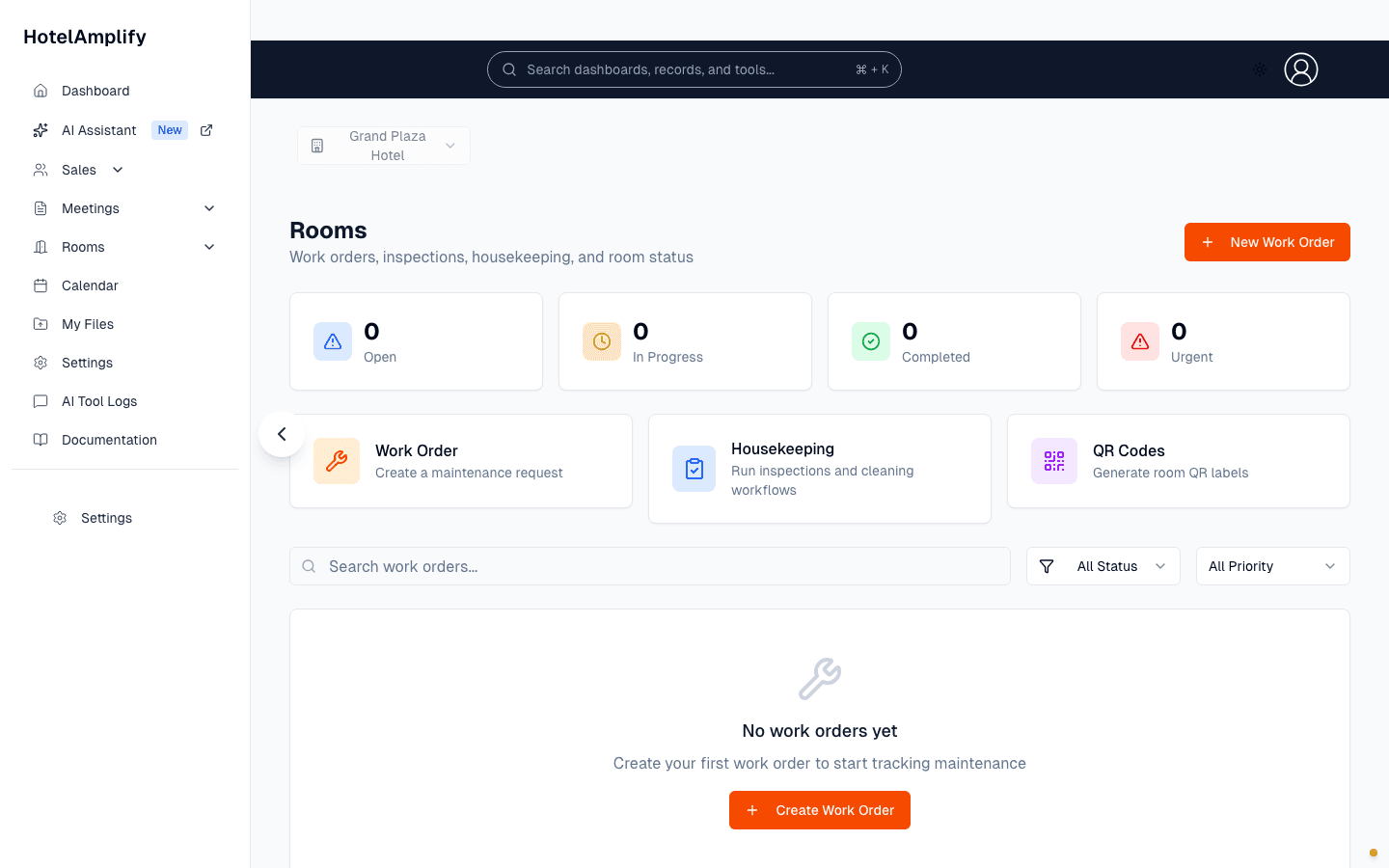
Start with the status summary, then jump directly into work orders, housekeeping, or QR codes.
Open in HotelAmplifyWhat you can manage
- Work orders: create, assign, prioritize, and complete maintenance requests.
- Housekeeping: update room status such as clean, dirty, inspected, out of order, and out of service.
- Inspections: create inspections from templates, record results, and follow up on failures.
- Assets: track equipment and property assets with categories, rooms, status, and import/export tools.
- Templates: create reusable checklists for inspections and housekeeping workflows.
- QR codes: create room labels that help staff open the right operational workflow quickly.
Common workflows
- Open Rooms and review open, in-progress, completed, and urgent work.
- Use New Work Order for a maintenance request, including its location, priority, description, and assignment.
- Use Housekeeping to update a room’s operational status as work is completed.
- Use Inspections to run a checklist and create follow-up work when an item fails.
You'll know it's done when
You can open the Rooms workspace, identify the work that needs attention, and send each task to the right workflow without switching between unrelated tools.
If something is missing
Set up room inventory and function rooms in Settings first. The operational pages use that property context to associate work with the right room.