Reviews
Turn guest feedback into approved responses
Review Responses brings connected sources, drafts, guardrails, and approval decisions into one place. The final handoff depends on the source: some replies post through an API, while others are queued for the configured responder workflow.
Best for
Guest experience and reputation teams
Time
3–5 minutes per response
Outcome
A reviewed response ready for the configured approval step
Before you start
- A review source or feedback item is available
- You know who approves responses for the property
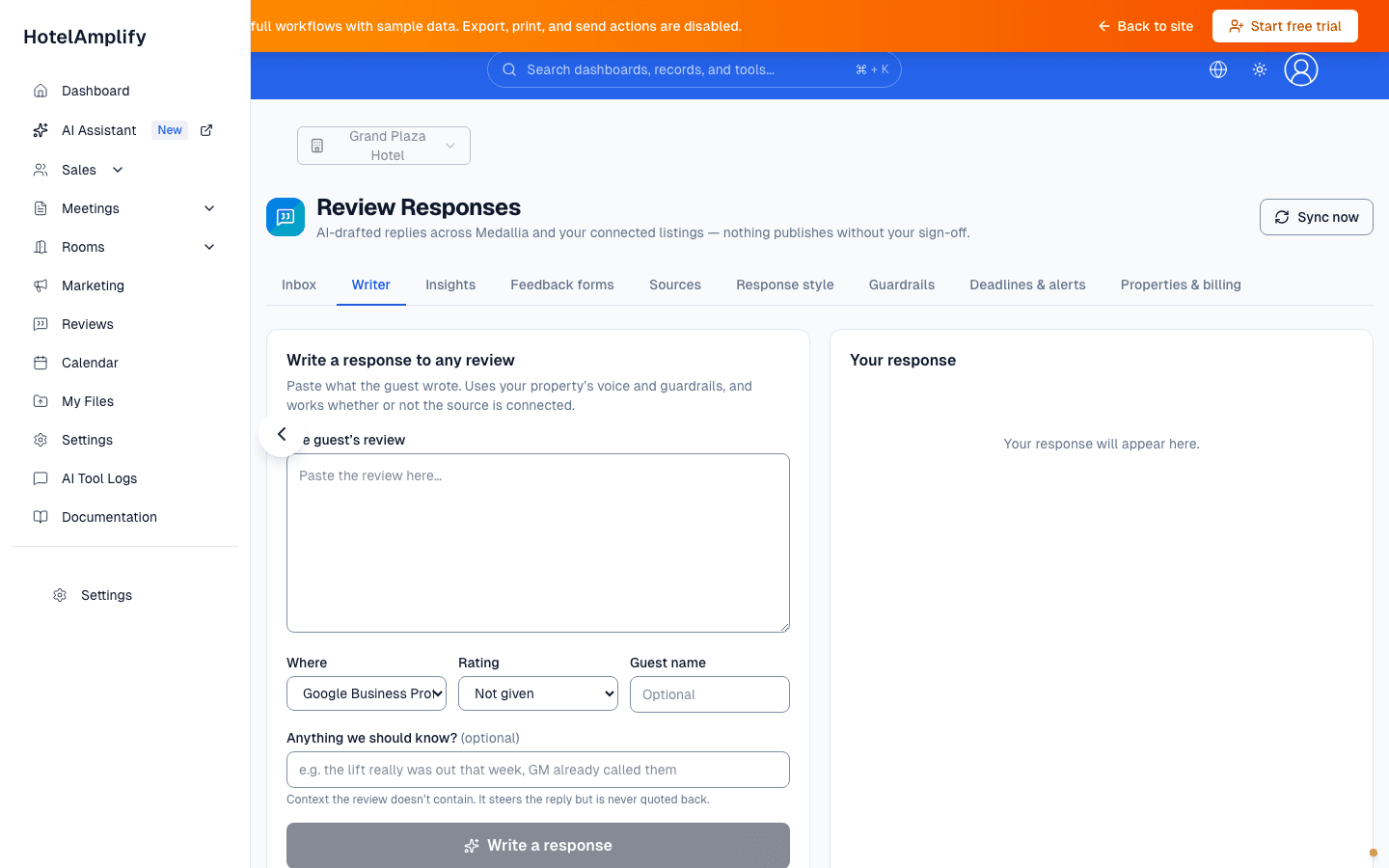
Writer is the fallback for a review you need to paste manually, even when its source is not connected. The draft remains subject to your review and approval rules.
Open in HotelAmplifyReview response workflow
Open the review inbox
Go to Review Responses. Connect a source under Sources, then select Sync now before opening the review item you need to handle.Draft or refine the response
Use Draft a response in the Inbox or paste a review into Writer. Adjust the tone and wording for the guest and property.Check the details
Review names, dates, service claims, privacy, response style, guardrails, and any deadline before approval.Take the configured action
Save edits, then Approve, Discard, or Skip this review. Use Publish only after approval and after confirming the source connection is ready.
Manage sources and operating rules
- Sources: connect Medallia, Google Business Profile, Facebook, TripAdvisor, Booking.com, Expedia Partner Central, Agoda (YCS), or a HotelAmplify feedback form when that source is configured for the property.
- Feedback forms: create a shareable form, copy its link, deactivate it, and review submissions in the same workflow.
- Insights: look for patterns across guest feedback.
- Deadlines & alerts: keep response timing visible.
- Properties & billing: review property-level configuration and subscription details.
Know what “Publish” means
Publishing is source-dependent. Medallia, Facebook, and private feedback forms use configured direct paths when available. Google and several public listing sources require a verified responder connection and may move to Queued while the configured posting workflow completes. A successful click on Publish is not the same as every public listing being live immediately.
You'll know it's done when
The response has been checked for facts, tone, and privacy, and the next action is clear to the person responsible for publishing it.
Approval is intentional
Treat generated wording as a draft. Public listings require a person to approve the reply. Private feedback has separate response-style and deadline settings, so check the current configuration before assuming every item follows the same approval path.
If Writer is the right starting point
Writer is useful when a review came from a source you have not connected yet. It creates a draft for the current session and does not add that pasted review to the Inbox automatically.