Getting started
Introduction to HotelAmplify
HotelAmplify brings the day-to-day work of a hotel team into one place: sales relationships, group business, event documents, room operations, reporting, and guest feedback.
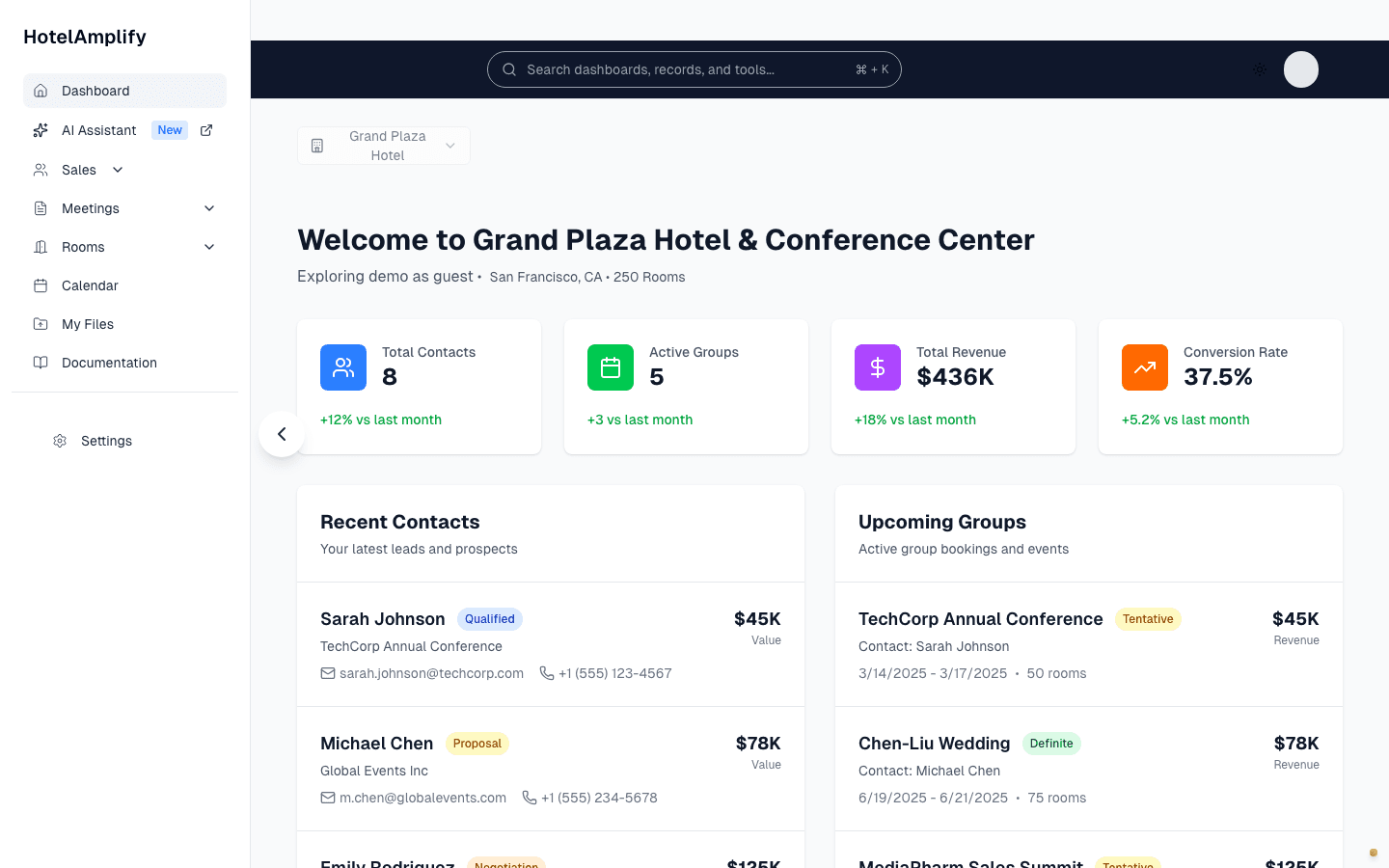
The dashboard gives you a starting point for the property, records, and workflows your team uses most often.
Open in HotelAmplifyWhat you can manage
Use the links below to jump straight into the part of HotelAmplify you are responsible for. Each area has its own walkthroughs, terminology, and next steps.
Sales & CRM
Keep company relationships, contacts, group opportunities, and event activity connected.
Meetings & documents
Build BEOs and guest room contracts from the information your sales team has already collected.
Rooms & operations
Give engineering, housekeeping, and managers a shared view of room conditions and open work.
Revenue & reporting
Review property performance, compare periods, and export the reports your team needs to share.
Reviews & marketing
Respond to guest feedback and prepare marketing content while keeping a human review step.
AI Assistant
Use the assistant to draft, summarize, and organize work before you make the final decision in the product.
Organizations & access
Manage properties, users, and access boundaries as your hotel team or portfolio grows.
How the pieces fit together
A typical workflow starts with a relationship, becomes a booking or event, and then moves into documents, operations, and reporting. Your team can enter at any point, but keeping the records connected saves duplicate work later.
Set up the property
Add your hotel details, room inventory, function spaces, and initial users. Start with Hotel setup.Run the operation
Track maintenance, housekeeping, and inspections from Rooms & operations.
Standalone tools and add-ons
Review Response Pro, Marketing Pro, Meetings Pro, and Maintenance Pro are available as standalone tools. See the current pricing page for plan and module details.
Need help choosing a starting point?
Start with Hotel setup if you are an administrator. If your property is already configured, open the guide for the workflow you own or contact support.